This issue, I thought I'd have a look at another Ripper/Converter/player package.
The one I chose was DBpowerAMP.
This turned out to be a very good choice and has stayed on my drive ever since.
I got the package via a link on the Audio Galaxy site, but
you can get the latest version from http://www.dBpowerAMP.com
The website is very good and includes a guide to using the aforementioned as well as giving helpful hints and tips to audio ripping. Part of the DBpowerAMP package is shareware, but I'll leave it up to you to find out about this part yourselves.
Don't let the mention of shareware put you off, the package is free and the shareware part only extends various options that you can use.
Right, lets have a look at some of the facts.
The package comes to roughly 1.4mb so it isn't a gargantuan download. You can also download codecs for the likes of Monkey and Ogg Vorbis and WMA via links from the site as well as any other part you might feel you need. In total, to try out this package, I downloaded apprx. 2.5mb of files.
The package installs with no problems and after you have done this, you are ready to explore your new music tool.
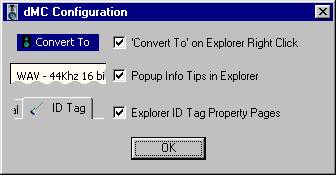
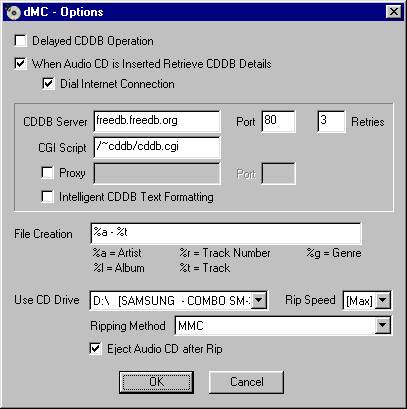
One of the first configuration menus is shown above. The program is fairly intuitive and can deal with almost anything.
The player is shown below and again can handle most files thrown at it. Sound is configurable due to the equaliser and you can load in different skins to suit yourself. As you can see, I'm fairly staid and this is the skin I prefer to use.
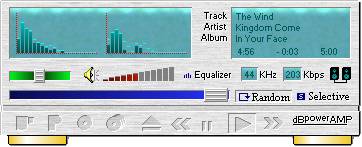
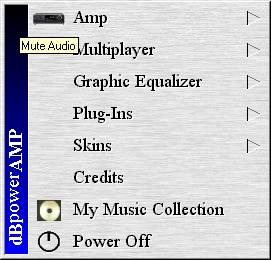
As I said, sound is configurable,I should have said that this program has menus for almost any occasion!! I don't particularly like the way you have to navigate through them and would prefer a simpler interface similar to WinAmp, however this is a personal preference. For instance , I would prefer the equaliser onscreen attached to the player all the time! You can do the usual things with the player like random playing etc. You should see the "my music collection page", I haven't included a grab of this as I try and keep the file sizes of the article down somewhat, but rest assured, its very impressive!!
Again, similar to most other players, you can save playlists,
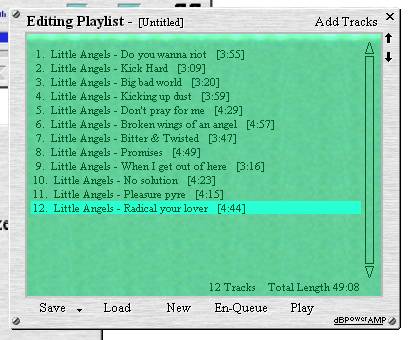
and it even comes with a previously played list, if you can't be bothered to make one up. The program will automatically add every track you convert to your music collection , which will remember where they are and allow you to play them without any effort on your part.
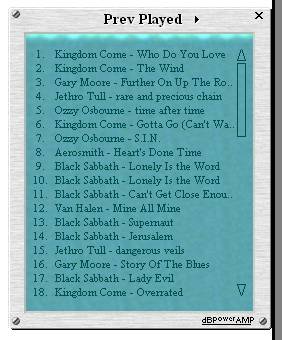
The player has some very nice touches and is a welcome addition to anybody's drive.
As I said, this is a package, so you not only get the player but a ripper/encoder as well.
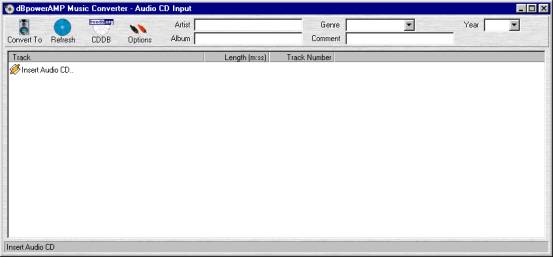
The ripper part is again fairly straightforward and can be seen above. CD's titles are collected via CDDB , again a fairly standard feature of most rippers. In the options part , you can set whether you wish to let the program automatically retrieve details or not and decide how you wish your tracks formatted. It even has an option for intelligent formatting which simply means that it will attempt to keep all tracks looking fairly normal. Of course, it adds Tags to the files as well.
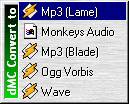
Clicking the convert to button will bring up a small menu allowing you to choose different formats and methods. Downloading different codecs will allow you to choose from varied formats...as you can see I downloaded the Ogg Vorbis and Monkey codecs!
Mp3 encoding can be done using either Lame or Blade and I have shown a grab of the Lame options menu.
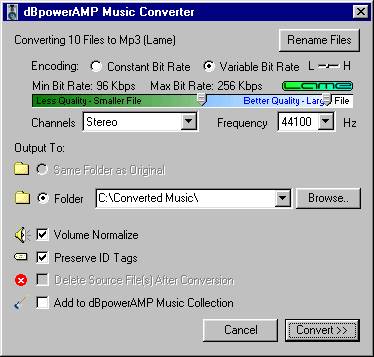
The program will also normalise the music for you, very good if you have a varied list of music with different levels.
This program is very big in scope and options and you can configure it for ages to achieve exactly the effect you wish, so it's a very big help if you read the guide on the webpage.
You also get most of this in the helpfiles that come with DBpowerAMP, and it is a major work in itself just for these.
Ok, I'll give in here and mention the shareware part. The shareware part is known as the Powerpack. This is because it adds even more options to the main program. When I said you can rip audio, you can also do it via an auxiliary plug in which allows you to use any source such as your record deck (if you can remember them). You can also have a load of DSP effects to play with and can script the program to enhance it. It can shut down your machine after its finished, so you can put on a record and leave it to it.detect silences etc.loads of things. The Powerpack can be downloaded and used for 30 days without having to pay for it! The price isn't very heavy either, roughly £10 and is easily registered via the methods laid out in the helpfiles. I recommend downloading this particular program and if you like it, trying out the Powerpack as well. The Powerpack also gives the option of ripping to Ram which helps speed up the process.
Anyway, you may get the impression I liked this program and you'd be right. It is very stable on my setup and rips quite happily while online , so no more skips if your net connection suddenly throws a wobbly! which BT is prone to .
The player is excellent as is the ripper. As an ex Amiga owner, I was used to playing with settings to get what I wanted from a program and this one has so many , its great fun just trying them out. Couple this with the formats available, the fact that if you buy the Powerpack you get unlimited updates, and the fact that the authors are planning to include CD burning with it and various other benefits, you felt that they are falling over themselves just to please you. The program also has a mailing list as well and excellent support for requesting features etc.
I have found it excellent value and although not the fastest (perhaps because I don't use the Powerpack yet), very stable and highly configurable.
You don't want to be having to go online every time you need a CDDB listing, so why not insert a load of disks into your machine while you are online? DBpowerAMP remembers the listings and you can let it convert them another time when your online connection isn't available. As an alternative, you can convert all the CD's you wish and then go online and the program will automatically get the listings and rename the files and ID tags to suit without you reinserting the Cd's. this is the delayed CDDB option. This has so many nice touches, I won't even attempt to list them all.
So that's a quick overview. Hopefully, I've gave a (very) small taste of this program and you'll feel that you need to investigate it further.
Download it and try it out yourself!!!
